Key Takeaways
- Prioritize a kids language app with separate learner profiles, because one subscription only works for busy households if each child’s progress stays in its own lane.
- Check for short, play-based lessons in the language app so younger kids can tap, listen, and speak without needing a grown-up to read every instruction.
- Compare progress reports before you download the best rated kids language app; weekly updates and learner reports make it much easier to tell who learned what.
- Choose a language learning app that works across Apple and Google devices, since mixed-device families need one account that follows the child, not the tablet.
- Verify safety details like ad-free content and on-device voice features before you buy, especially if your family wants speech practice without extra privacy worries.
- Look past star counts and focus on routine fit: the best rated kids language app is the one your children will actually open on school nights, weekends, and travel days.
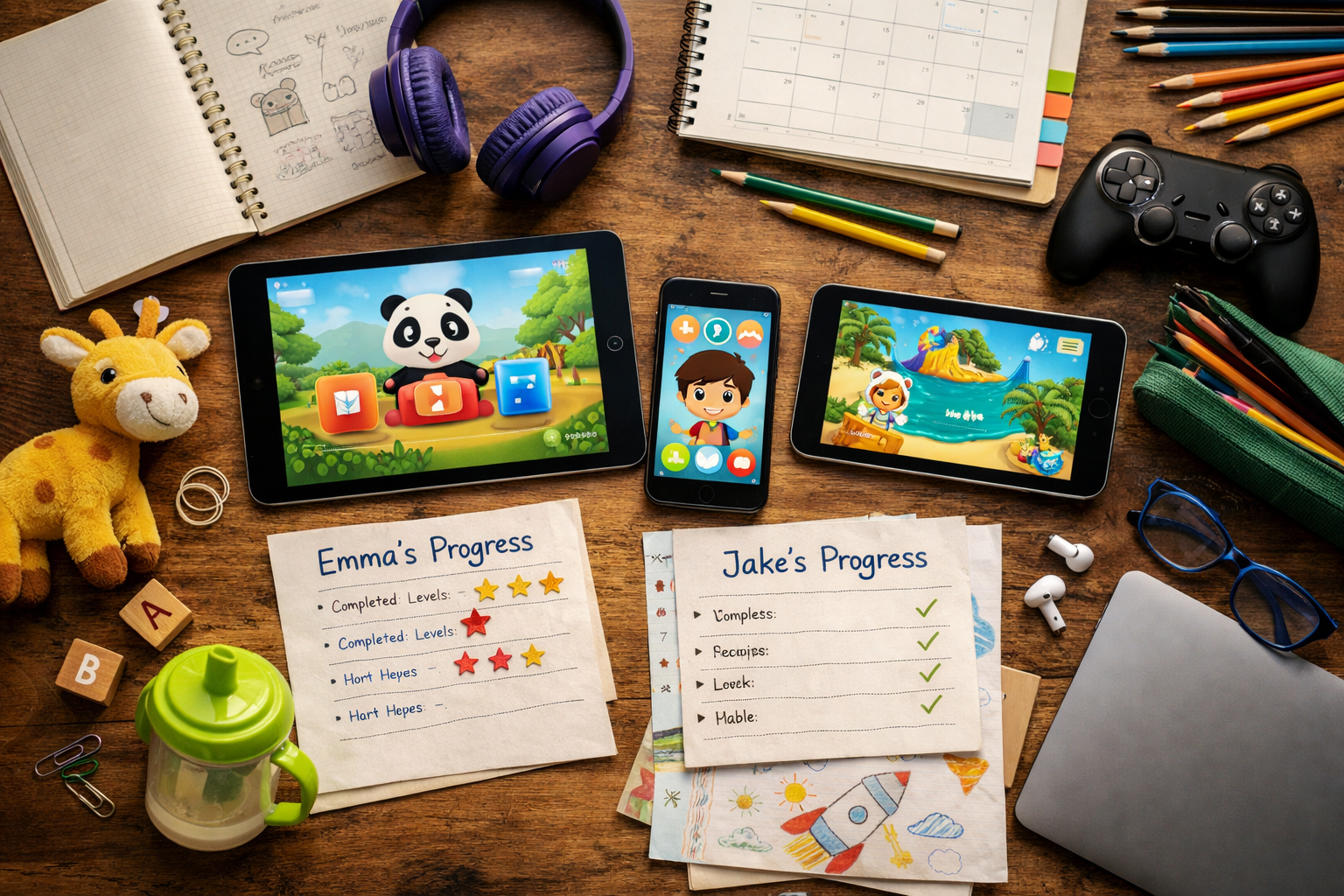
Two kids. One tablet. One subscription. That’s where the real test starts. A family isn’t hunting for the flashiest download or the app store favorite with the loudest badge; it’s trying to find the best rated kids language app that won’t turn into a daily argument about who lost their place, who finished first, or why the progress bars are all tangled together.
And that matters right now, because parents are done paying for apps that look smart but collapse the moment a sibling opens them on a second device. They want separate learner profiles, real progress tracking, and language practice that still feels like play after the first week. Not once. Not twice. Every day. Short bursts. Clean handoffs. No reading required. That’s the bar.
In practice, the strongest family apps do a few plain things well. They keep sessions short enough for a five-minute break, they make room for different ages in the same home, and they don’t force adults to act as tech support every evening. A good app also has to work across Apple and Google devices without making parents manage a drawer full of passwords, downloads, and forgotten logins. Simple ask. Harder to get.
There’s another layer, too. Speaking. Kids can tap their way through a lot of apps, — tapping isn’t the same as saying a word out loud and hearing it land. For bilingual homes, travel routines, and after-school downtime, that difference is huge. Real language learning needs repetition, confidence, and a little bit of fun — not a screen that just looks busy.
Parents know the pattern. If the app can’t survive sibling sharing, it won’t survive the month.
What makes the best rated kids language app work for families with more than one child
How does a parent keep one best rated kids language app from turning into a progress mess? Simple: separate learner profiles, clear reports, and an app that kids can open on apple or google devices without help. That matters more in a house with two or three kids than any flashy store badge. The best beginner language app for kids should let each child play at their own pace, then pick up right where they left off.
One subscription, separate learner profiles, and no progress mix-ups
A smart setup looks like this: one account, up to four profiles, and no shared passwords taped to the fridge. Realistically, that saves time and stops the older child from racing ahead in the same drawer of lessons the younger one still needs. The best language app for bilingual families also needs weekly learning reports, so adults can see who practiced pronunciation, who only tapped through games, and who needs a reset.
Why short play-based lessons keep younger kids coming back
Short sessions win. Five to ten minutes is enough for a preschooler to finish a song, a game, — one quick speaking round without burning out. That’s why the best language app for homeschool and the best language app for early learners both lean on play, not long explanations. A child hears the word, says it, and moves on. Fast.
What busy parents should check before downloading any language app
Before any download, check four things: ad-free design, no reading required, cross-device sync, and progress tracking. If the app can’t handle those basics, it’ll sit unused on the desktop, the iPad, or the family phone. And that’s the honest answer.
Why sibling-friendly language learning needs more than a single login
One shared app can turn into a mess fast. The best rated kids language app has to keep progress separate, or the older child steamrolls the younger one and nobody learns much.
Shared devices, different ages, different attention spans
On one tablet, a four-year-old may want songs and tap games while an older sibling wants faster challenges and speaking practice. That’s why the best beginner language app for kids should allow up to four learner profiles, with each child seeing their own games, stories, and notes-style progress. best beginner language app for kids
For a bilingual family, that separation matters even more. The best language app for bilingual families keeps the language exposure consistent without making parents play referee every time a child opens the app. Realistically, kids notice if someone else has already cleared the drawer of lessons.
How separate progress reports help parents see who learned what
A smart setup gives adults a clean view of who finished which lesson, which words stuck, and where pronunciation needs another pass. That’s far more useful than a shared login, especially if one child is using it on an Apple device and another on Google Android.
In practice, short weekly reports are enough to spot patterns: one child loves vocabulary games, another needs more listening, — a third keeps skipping speech practice. That kind of detail makes the best language app for homeschool feel usable, not noisy. It also works across Microsoft laptops or a desktop, which helps when families switch devices.
Why the right app should work across iOS and Android devices
And that cross-device part matters. A best rated kids language app should sync cleanly across phones and tablets, so a child can start on one device and finish on another without losing place. The best language app for early learners also keeps the routine simple (no long passwords, no extra setup, no confusion).
This is the part people underestimate.
For families juggling smart screens, downloads, and the occasional forgotten login, that’s the difference between use and abandonment. The app has to fit real family life, not the other way around.
The features that matter most in a kids language app for real homes
Two siblings share one tablet after dinner. One is four, the other seven, and neither has the patience to sit through a long lesson. That’s where the best rated kids language app has to earn its keep.
It has to work for the child who can’t read yet. It has to work for the child who wants to tap, talk, and move on. And it has to keep each child’s progress separate, so the app doesn’t turn into a mixed-up drawer of badges, notes, and half-finished games.
No reading required for young children
The best beginner language app for kids should speak first. Audio prompts, icons, and clear actions matter more than text on a screen, especially for ages 2 to 8. That’s the difference between a child playing and a child waiting for help.
Games, songs, stories, and repeat practice in small bursts
Short sessions work better than long ones. Three rounds of 5 minutes beats one 20-minute slog, because children remember language through repetition, not pressure. A strong best language app for early learners mixes games, songs, stories, and printable extras so the same words show up in fresh ways.
For families juggling devices, that matters. One subscription should move across Apple and Google phones and tablets, with progress reports that stay attached to each learner. That’s also why a best language app for bilingual families has to feel organized, not crowded.
Speech practice that lets kids hear and say the language out loud
Speaking is the hard part. The best language app for homeschool use should give children real chances to say words, hear feedback, and try again without a grown-up acting like a human password manager. A best language app for homeschool setup works when the child can press play, speak, and keep going.
Real results depend on getting this right.
That’s the practical test. Not flashy smart features. Real use, on real devices, in a real house.
How to tell whether a language learning app is safe and age-appropriate
Write this section as if explaining to a smart friend over coffee — casual — accurate and specific. The best rated kids language app for a house with siblings isn’t the one with the flashiest games; it’s the one that won’t turn into a password manager headache on the shared tablet. A quick check matters: ad-free, kid-safe content, clear age bands, and no weird store prompts for a desktop download or extra apps.
Ad-free design and kid-safe content expectations
For families juggling two or three kids, ad-free matters because one stray tap can derail a lesson fast. A strong best rated kids language app should feel calm, not like a noisy video feed with drawers of random offers. The best language app for bilingual families usually gives each child a clean start, then keeps progress separate.
Best language app for homeschool? It should also work offline-friendly enough for a short smart play session, then show what each child finished. Studycat is listed as kidSAFE and ad-free, which is the kind of detail parents should look for before a download.
What parents should know about voice features and privacy
Voice practice sounds great, but parents should ask where the audio goes. With a best rated kids language app, on-device speech feedback is far better than uploading kid voices to the cloud or storing them in drive, dropbox, or mega-style systems. That’s not a small thing. It’s the difference between practice and exposure.
Best beginner language app for kids? One that lets them speak, play, and move on without reading instructions. VoicePlay can help here, but only if the child can actually use it without pressure.
Real results depend on getting this right.
Why age fit matters more than flashy visuals
Bright animations don’t help if the child is 3 and the task expects reading or fast tapping. The best language app for early learners keeps instructions short, uses audio first, and works on shared devices without mixing siblings’ progress. That’s the real test. Not the sparkle.
For families with multiple kids, age fit beats clever visuals every time. A smart setup beats a smart-looking one.
Best rated kids language app choices by family need, not just star count
The best rated kids language app isn’t the one with the loudest store page. It’s the one a child will open on an apple or android device, use without reading help, and return to tomorrow.
- For siblings sharing one tablet or phone: pick an app with separate learner profiles. Up to 4 profiles keeps progress clean, so one child’s Spanish games don’t wipe out another child’s French notes or handwriting work. That matters fast in busy homes.
- For families adding Spanish, French, German, Chinese, or English: choose a language app with short play sessions, real audio, and speaking practice. The best rated kids language app should feel like games, not homework; kids aged 2–8 stay with it longer when the first tap leads to sound, action, and a quick win.
- For parents who want printable support beyond the app: look for worksheets, stories, and songs. A child can use the app on the drive, then review on paper at the kitchen drawer later (that mix is smart, and it helps memory stick).
Here’s the blunt part: ratings don’t tell the whole story.
A family may need the best beginner language app for kids, the best language app for bilingual families, the best language app for homeschool, or the best language app for early learners—those aren’t the same job. A strong choice gives weekly reports, works across devices, and keeps the language learning steady without turning one child into the family app “boss.”
Search intent match: what parents actually mean by the best rated kids language app
Only 1 in 5 parents who search for the best rated kids language app are really chasing stars. Most are asking a sharper question: will this app keep two children busy on the same tablet, or will one kid’s progress wipe out the other’s? That’s the real test.
Why “best rated” often means best for your child’s routine
A high rating doesn’t help if the app needs reading, a grown-up login every time, or five minutes of setup before play starts. For a family with two or three kids, the better app is the one that opens fast on iOS or Android, keeps separate profiles, and makes progress easy to see in notes or weekly reports. That’s what busy homes remember.
The best beginner language app for kids usually wins on three points: short games, clear audio, — no pressure. The best language app for bilingual families adds language exposure without turning dinner into a lesson. And the best language app for homeschool gives adults a clean way to track practice across devices without mixing siblings up.
How to judge app store ratings, reviews, and trial periods together
Star ratings matter, but read the comments for patterns: complaints about password resets, hidden charges, or broken downloads carry more weight than one glowing review. A seven-day trial with no credit card tells parents more than a polished store page.
Here’s what that actually means in practice.
- Check if each child gets a separate learning path.
- Look for ad-free play and real speaking practice.
- See whether progress survives a switch from apple to google accounts.
What a strong subscription should include before the first charge
The best language app for early learners should show the learning path, not hide it behind a paywall. If siblings can each pick up where they left off, that subscription earns its keep. If not, it’s just another download taking space beside games, drive files, — a half-used desktop folder.
How progress tracking should work when two or three kids share the same app
Why does one child finish a lesson and the other child suddenly looks lost? Because shared use only works when each learner has a separate track. The best rated kids language app does that with individual profiles, so progress, badges, and review notes don’t get tangled on the same device.
For a busy household, that matters fast. A child using an apple tablet in the morning and an android phone later shouldn’t lose their place, and a parent shouldn’t have to reset anything in a desktop dashboard or dig through a password manager just to see who completed what. One profile. One learner. Simple.
Individual learner reports and weekly learning updates
Progress reports should show more than a vague smiley. A solid best rated kids language app gives weekly learning updates with real detail: words heard, games completed, pronunciation attempts, and time spent in play. That’s the kind of feedback a bilingual parent can actually use at dinner, not just a badge on a drawer of screen clutter.
For families comparing options, the best beginner language app for kids — the best language app for bilingual families both need the same thing: proof that learning is sticking. The best language app for homeschool use should do the same, with notes that a caregiver can save in notion or google drive if they want a paper trail.
Marking completed lessons without turning practice into pressure
Completion markers should feel calm. Not a race. A quick check that a lesson’s done, then back to play.
The data backs this up, again and again.
That approach also fits the best language app for early learners, because little kids don’t need a scoreboard shouting at them. They need games, repetition, and a clear next step.
What to do when one child moves faster than the others
Let the quicker learner keep going, but don’t merge progress. If one child is ready for more language practice, the app should let them advance without dragging everyone else along. That’s the smartest way to keep the whole family moving.
And yes, that’s what separates a smart learning app from a noisy download nobody opens twice.
Why speaking practice changes the value of a kids language app
One short answer: tapping feels easy, but speaking makes a best rated kids language app worth the download. Families with two or three kids need something that doesn’t just sit on a tablet like a game drawer full of forgotten apps; they need proof that language sticks.
The difference between tapping answers and speaking words
Tapping can build recognition. It won’t tell a child if store or drive sounds right, and that gap shows up fast in real life. The better apps add spoken prompts, then let children hear their own voice and try again (that little loop matters more than a flashy smart animation).
That’s why the best beginner language app for kids should feel active from the first lesson. If a child can play, repeat, and move on in under 3 minutes, the habit starts to form.
How pronunciation feedback helps hesitant children get started
For shy learners, feedback lowers the pressure. A child who won’t speak to a grown-up will often speak to an app, especially when the app gives instant cues instead of red marks and silence.
The best language app for bilingual families usually does this well: one child hears Spanish at home, another uses English on a school device, and both need separate progress tracking. No mix-up. No reset drama.
Why real-time speech practice matters for early learners
Real-time practice turns language into a repeatable routine for busy households, homeschool schedules, and shared apple or android devices. The best language app for homeschool also gives parents a clean report they can check after one session, not after a long desktop setup.
Here’s what that actually means in practice.
The best language app for early learners keeps speech short, clear, and playful. That’s the part kids remember. That’s the part that lasts.
What busy families should expect from subscriptions, downloads, and device access
A family with three kids usually finds out fast that one shared language app can either calm the house or create a small digital war. The best rated kids language app handles that second part well: one download, separate learner profiles, and progress that doesn’t get tangled.
Free trial, monthly access, and cancel-anytime expectations
The smart move is to test before paying. A 7-day trial, no-credit-card entry, and monthly access make it easier to judge whether a child keeps coming back after the novelty fades (that first-week dip is real).
- Check trial length before the store purchase.
- Look for separate progress reports for each child.
- Confirm cancellation terms in the app store, not just the product page.
For the best beginner language app for kids, short sessions beat long lessons. For the best language app for bilingual families, weekly reports matter more than flashy games because parents need proof that the same words are sticking.
Using the same language app across Apple and Google devices
Cross-device access should feel boring—in a good way. If one child starts on an Apple tablet and finishes on a Google phone, the subscription should follow them, and the learner profile should keep its place.
That matters for the best language app for homeschool and for the best language app for early learners, where an adult may switch between a desktop, a phone, and a tablet before breakfast is over. Realistically, families should verify the download rules before buying, then test login on both devices the same day.
Experience makes this obvious. Theory doesn’t.
What to check before buying a second family subscription
Before paying twice, parents should ask one blunt question: does the app already allow up to four learners, or are they paying for a problem that’s already solved? In practice, the best rated kids language app keeps one subscription, one store account, and one clean set of notes, badges, and reports. That’s the part that saves time.
How to choose the best rated kids language app for long-term use at home
Write this section as if explaining to a smart friend over coffee — casual but accurate and specific. A best rated kids language app earns that label at home only if it works for siblings, not just one polished user. The real test is simple: does it keep progress separate, work on apple and google devices, and still feel like play on a Tuesday night when everyone’s tired?
Matching the app to ages 2 through 8 without forcing one path for everyone
For families with a toddler and an older child, the smartest setup is one subscription with separate profiles, so a 3-year-old can tap through sounds while a 7-year-old handles longer games and word recall. That’s why the best beginner language app for kids should offer no-reading-needed support, clear audio, and enough repetition that the younger child doesn’t stall out.
Best language app for bilingual families and best language app for homeschool both point to the same thing: flexible pacing. One child may need daily 10-minute bursts, while another can handle a 20-minute weekend review. The app has to fit both without mixing their reports.
Choosing a routine that fits school nights, weekends, and travel days
Short sessions win. Three sessions of 8 to 12 minutes beat one long sit-down because kids come back fresher, and parents can track what stuck in notes or a drawer checklist if they want a paper backup.
Picking an app your children will still open after week one
A best language app for early learners needs new content, not just shiny graphics. Look for stories, songs, and a simple learning path that changes enough to feel fresh. Otherwise the best rated kids language app turns into another forgotten app on the desktop.
The difference shows up fast.
Frequently Asked Questions
What is the best app for kids to learn languages?
The best rated kids language app is the one a child will actually keep using. For most families, that means short play sessions, clear audio, no reading required, and progress tracking for each learner. If one subscription has to serve two or three kids, separate profiles matter just as much as the games.
What is the #1 language learning app?
There isn’t one universal #1 app for every child. A 3-year-old who needs picture-led play needs something very different from an 8-year-old who can handle longer lessons and speaking practice. The strongest pick is usually the app that matches age, attention span, and the family’s routine.
What is the most highly rated language learning app?
Ratings help, but they don’t tell the whole story. A highly rated app can still be wrong for a household with multiple children if it lacks separate progress tracking, device syncing, or age-appropriate speech practice. The best rated kids language app should be judged on fit, safety, and whether it keeps a child engaged for more than one week.
How do I choose a language app for more than one child?
Look for up to four learner profiles, individual reports, and subscription access that works across iOS and Android. If one child is older and another still can’t read, the app needs enough structure for both without mixing their progress. That’s where a lot of families get frustrated fast.
Should a kids language app include speaking practice?
Yes, if the goal is real language use and not just tapping pictures. Kids often recognize words long before they’re ready to say them out loud, so speech feedback helps bridge that gap. Real-time pronunciation practice is especially useful for families adding English or Spanish at home.
Here’s what that actually means in practice.
Are kids language apps safe to use?
Safety should be a first filter, not an afterthought. Parents should look for ad-free design, kid-friendly content, and clear privacy handling for any voice features. If an app says voice input stays on-device and doesn’t get uploaded, that’s a strong sign for families who care about privacy.
How much screen time is reasonable for language learning?
Short sessions work best. Ten to 15 minutes a day is often enough for young children to keep attention, build vocabulary, — avoid the meltdown that comes with long lessons. A good app makes that kind of routine easy to repeat.
Can a language app really help if I’m not fluent?
Yes, and this is where a well-built kids language app earns its place. If the app gives clear audio, visual cues, and simple repetition, a parent doesn’t need to teach every word. That takes pressure off the household and keeps practice moving.
Do free trials matter when choosing a kids app?
They matter a lot. Families don’t want to pay for a subscription and discover the child loses interest after two days, so a free trial and a limited free version reduce the risk. That’s a smart way to test whether the app fits the child’s age, attention span, and device habits.
For families with two or three children, the right language app does more than hand out points and badges. It gives each child a separate lane. That means one subscription, individual progress tracking, and a setup that doesn’t collapse the minute a younger sibling taps ahead or an older one races through the first ten lessons. Short, play-based sessions matter here too. They keep the five-year-old engaged without boring the eight-year-old into quitting after one try.
Safety still matters. So does speaking practice. A best rated kids language app should feel calm, ad-free, age-fit, and easy for a child to use without reading instructions first. It should also help parents see who learned what, instead of leaving them to guess. Realistically, that’s what busy homes need. Not another shiny download. A routine that actually sticks.
Before a second trial week slips by, parents should check whether the app offers separate learner profiles, progress reports, and cross-device access for the whole household. If those pieces are in place, the rest gets a lot easier.
For more great reading, visit our site and explore related topics.
